Kimi K3 ships a 1M LLM context window. Your agent gets 32,768.
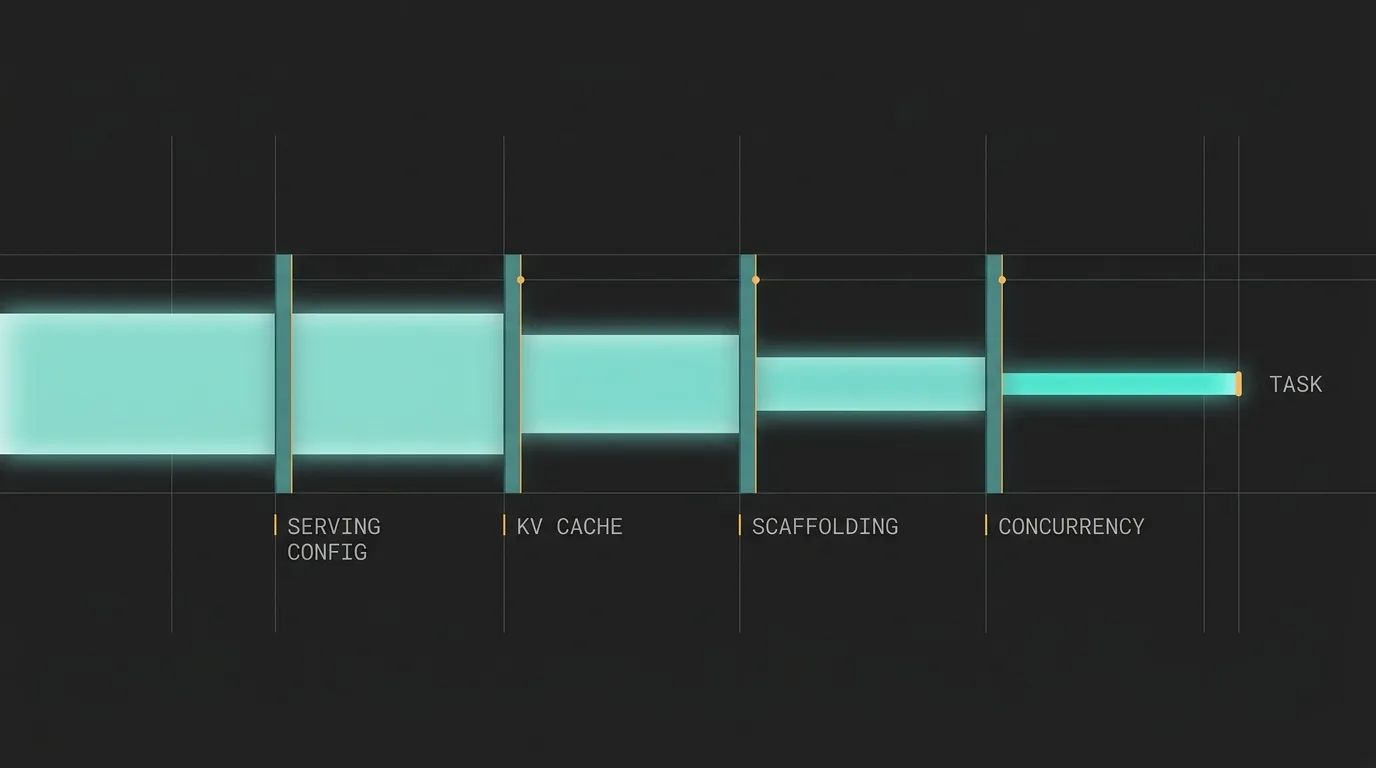
Kimi K3's open weights landed with a 1,048,576-token context window on the model card and a 32,768-token limit on its own reference serving recipe. Here is how four layers spend a local model's context before the task gets a turn, and how to size against the number that survives.
Kimi K3's open weights landed on July 27 with a 1,048,576-token context window on the model card. The same day, its reference serving recipe shipped with a 32,768-token limit on eight B300s. The model card number is a ceiling, not a budget, and in an agent workflow four separate layers spend that budget before the task gets a turn.
By the founder of Cerevisor
What 1,048,576 tokens buys on an 8xB300 box
On July 27 Moonshot AI published the full open weights for Kimi K3, the largest open-weight model shipped so far. Digital Applied’s release-day writeup put the headline number plainly: “The context window is 1,048,576 tokens.” Underneath it sits 2.8 trillion parameters, 104 billion active per token, 16 of 896 experts firing on any step, and 1.56TB of natively MXFP4-quantized weights.
Kingy’s hardware guide went up the same day. Its serving table lists the reference recipe as an 8xB300 configuration with a 32,768-token limit.
Same model, same day, thirty-two times apart. And this is not a consumer-hardware compromise. That is eight B300s and 2,304GB of aggregate HBM, and the config still lands at 32K. The guide explains it without flinching: usable context depends on memory reserved for KDA state, MLA cache, activations, and concurrent requests.
I have spent a lot of time sizing local models for multi-agent workflows, and this is the cleanest public example I have seen of something usually invisible. The model card number is a ceiling. What reaches the task is a budget, and four layers spend it first.
The four layers that spend a context window before the task does
The serving config goes first. Whoever starts the server picks the real ceiling, and the defaults run lower than almost anyone expects. Ollama’s num_ctx commonly defaults to 4096, though it is host-dependent: a measured experiment published June 28 found Ollama 0.30.7 landing on 16384 on a 16GB M1. The uncomfortable part is the boundary behavior. Ollama does not raise an error when input exceeds the window. It truncates from the front, silently. In an agent loop the front is the system prompt and the tool instructions, so the first thing to disappear is the agent’s understanding of what it is supposed to be doing.
A GitHub issue from January captured the server log exactly: truncating input prompt with limit=4096 prompt=10573 keep=4 new=4096. That report covers the OpenAI-compatible route, which ignores num_ctx passed through extra_body. That is the route every harness uses, including mine. An agent framework cannot fix this over the API. It has to be fixed on the server, with a Modelfile parameter or the OLLAMA_NUM_CTX environment variable.
vLLM handles the same squeeze more loudly: if the KV cache cannot cover the requested window, it refuses to start, and the documented remedy is to lower max_model_len.
The KV cache goes second, which is the same story told in VRAM. Long context is not paid for in weights, it is paid for in cache, and the cache scales with concurrent requests.
The harness goes third. This is the layer nobody budgets for, and it is the one I own.
Concurrency goes fourth. Four agents running at once against one local box means four cache allocations competing for the same VRAM, which quietly lowers the ceiling for all four.
What is a context window in an LLM once a harness is holding it
Here is the part I can only tell from the inside.
A multi-agent harness does not send the task. It sends the task wrapped in scaffolding: upstream context from earlier agents, skill guidance, tables of contents for input files, a memory block, and the accumulated tool results from the current run. Cerevisor caps every one of those, and for a long time it capped them with fixed constants tuned against Claude-class 200K windows. On a 200K model that overhead is a rounding error. On an 8K to 32K local model it is the whole conversation.
So the caps stopped being constants. The harness now derives a budget class from the model’s resolved context limit and scales every injection knob off it. At or under 16,000 tokens is class small. At or under 64,000, medium. Above that, large.
| Knob | Large | Medium | Small |
|---|---|---|---|
| Total upstream context | 48,000 | 24,000 | 12,000 |
| Full upstream output | 16,000 | 8,000 | 4,000 |
| Handover summary | 10,000 | 5,000 | 2,500 |
| Skill guidance | 6,000 | 3,000 | 1,500 |
| Input-file table of contents | 8,000 | 4,000 | 2,000 |
| Memory scale | 1.0 | 0.6 | 0.4 |
Tool results get their own ceilings on the way back into history, because they are the fastest-growing part of an agent transcript: 16,000 characters for a file read, 12,000 for a grep, 8,000 for a shell command, 4,000 for a glob. One unbounded read_file on a large source file eats a small model’s entire window in a single turn, and then the truncation above starts deleting the instructions that would have told the agent what to do with it.
Why the optimistic default is the one that bites
The bug I did not see coming was in the fallback.
Context limits come from a lookup table keyed on model id. When a model is not in the table, the lookup returns a default, and that default was 200,000 tokens. Reasonable for a first-party catalog where every model really is big. Wrong for an OpenAI-compatible endpoint, because the unrecognized ids on that endpoint are almost entirely local tags: a custom Modelfile, a fine-tune, a quant with a nonstandard name.
So the optimistic default was handing class large, and its 48,000-character injection budget, to exactly the small models the system existed to protect. The failure was silent. The agent just got worse, on the models least able to absorb it.
The fix was three lines and one inversion: an unknown model on an OpenAI-compatible provider now defaults to medium, while unknown models on first-party providers keep the optimistic default. Pessimism where the uncertainty lives, optimism where the catalog is known.
An unknown model is not an average model. When the population behind the unknown case skews small, an optimistic default is not a neutral guess, it is a systematic error aimed at the users who can least afford it.
Even the served window is not uniformly usable
One more discount, and this one belongs to the models rather than the plumbing. A March analysis of context utilization, drawing on the RULER benchmark, put the effective share at roughly 50 to 65 percent of advertised capacity across most architectures:
"Llama 3.1-70B, for example, drops from 96.5 accuracy at 4K tokens to 66.6 at 128K tokens despite technically supporting the full window."
The same analysis found recall for information at the middle of the input running 15 to 30 percent below information at the edges. Background rather than fresh news, but real: filling a window is not the same as using it.
A context window is not storage. It is a budget with four claimants, and the task is last in line.
Size the window before choosing the model
The practical version of all this is short.
-
Measure the served window, do not read it
Send a prompt of known length and compare it against the reported prompt token count. If the count comes back one token short of a round power of two, the server is truncating and the model card is irrelevant. Do this before benchmarking anything.
-
Raise the ceiling on the server, not in the client
For Ollama that is a Modelfile parameter or
OLLAMA_NUM_CTX. The OpenAI-compatible route will not carry it. For vLLM, setmax_model_lendeliberately and let it fail loudly if the KV cache cannot cover it. -
Subtract the scaffolding before judging the model
Add up what the harness injects at its current caps, in characters, and divide by roughly four for a token estimate. Whatever is left is the real task budget. A 32K window carrying 24,000 characters of upstream context has already spent about a fifth of itself before the prompt arrives.
-
Discount for concurrency
Divide the KV cache headroom by the number of agents that run simultaneously. On a single box, a wide fan-out is a context-window decision as much as a throughput one.
-
Run 30 to 50 real examples at the served window
Not at the advertised one. The failure mode to hunt for is an agent that silently forgets its instructions mid-run, which reads like a capability problem and is actually a truncation problem.
A harness that sits between a local model and the work owes an honest account of what it spends. Cerevisor’s OpenAI-compatible and local models guide documents the base URLs, the auth behavior, and the plain admission that on a single machine a parallel wave behaves serially because the model is the bottleneck rather than the orchestration.
Start with step one. It takes five minutes: point the local endpoint at a prompt of known length, read back the prompt token count, and find out what the window actually is. Every sizing decision after that gets easier, and a fair number of mysterious agent failures stop being mysterious.
Sources
- Kimi K3 Open Weights Shipped: What the Licence Says - Digital Applied, 2026-07-27
- Kimi K3 Open Weights: Download and Hardware Guide - Kingy AI, 2026-07-27
- Context Window Utilization: How Much of the Window Do Models Really Use? - Stabilarity Hub, 2026-03-22
- Ollama num_ctx Silent Truncation: Why My Agent Forgot Its Prompt - jangwook.net, 2026-06-28
- Ollama silently truncates context to 4096 tokens (issue #4028) - GitHub, 2026-01-29
- Conserving Memory - vLLM Documentation
Written by Kinan Hamwi, Founder of Cerevisor.